Why Are Internal Links Important for SEO?
Many businesses spend a lot of time focusing on backlinks, keywords, and technical SEO. These are all important, but one powerful SEO strategy is often overlooked — internal links. Internal linking is completely within your control, and when used correctly, it can make a big difference to your website’s performance.
It helps search engines understand your website and allows users to find the information they need more easily. This blog article is created from detailed research and practical SEO experience to help website owners understand how internal links influence rankings, crawling, authority distribution, and user experience. We’ll also share practical insights similar to what you might see on websites like Web99.
In this guide, you will learn what internal links are, why they matter for SEO, common mistakes to avoid, and a step-by-step strategy to optimise them.
What Are Internal Links in SEO?
Internal links connect one page on your website to another. They help visitors and search engines move around your site easily. Unlike external links that go to other websites, internal links stay on your site. They boost SEO and are fully under your control.
Here are everyday examples:
- Navigation Links
Menu buttons at the top take you to key sections. - Footer Links
Links at the page bottom to pages like “Contact” or “Privacy Policy.” - Sidebar Links
Quick jumps in a side menu, often to related categories or popular posts. - Contextual Links
These pop up naturally in your blog content to create a full guide.
Contextual links boost SEO because they naturally fit the topic. They act like smart signposts, showing search engines the connections between your pages. This boosts rankings more than menu links alone.
Why Internal Links Are Important for SEO
1. Help Search Engines Discover Your Pages
Google uses Googlebot, a bot that crawls the web via links. Without internal links, some pages stay hidden because Googlebot needs them to find content. Orphan pages have no internal links, so Googlebot may miss them. Unlinked pages often rank poorly, missing traffic and visibility.
2. Distribute Link Equity Across Your Website
PageRank is Google’s old method of measuring a page’s importance through link trust. More quality links mean higher rank. Internal links pass “link equity” from stronger pages to weaker ones. Link high-authority pages, like your homepage, to important content. This boosts their authority, helping pages rank faster without external backlinks.
3. Improve Website Structure and Topical Relevance
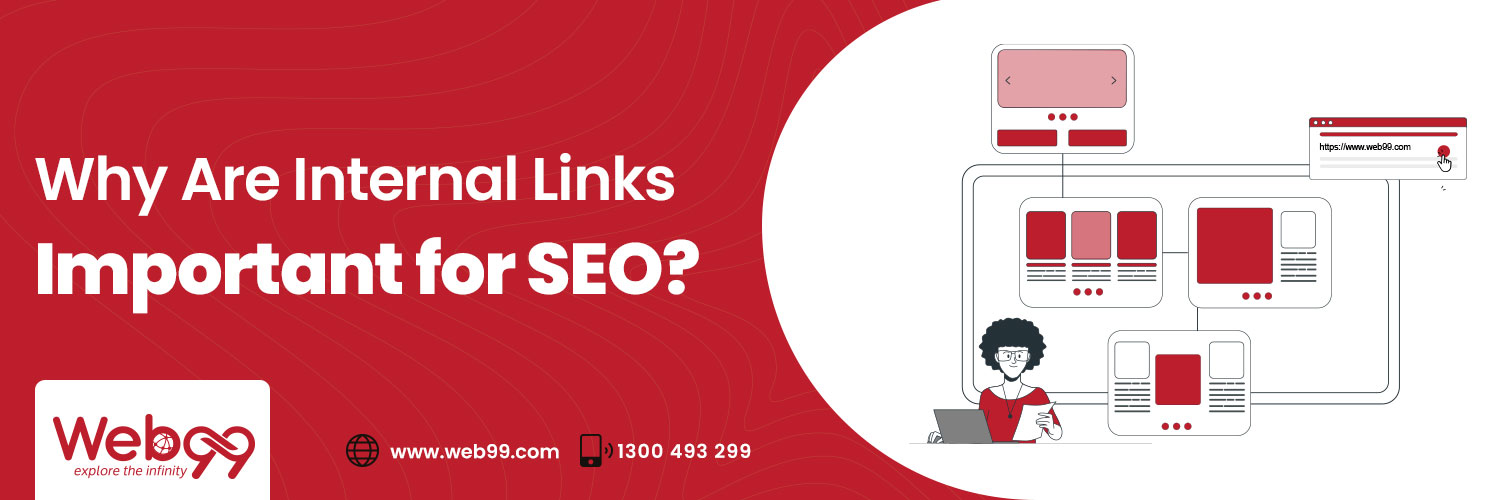
A clear content hierarchy is like a family tree for your site. Top pages (pillars) link to detailed subtopics (clusters), making everything organised. This setup tells Google your site covers topics deeply and logically. Topic clusters group related pages under a pillar page, showing search engines their connections. It shows your expertise, boosting rankings for related searches.
4. Improve User Experience and Engagement
Smart internal links nudge visitors to explore more in a blog post. This keeps them clicking instead of leaving right away. They lower bounce rates and increase time on site by easing navigation. Guide users to conversion pages, turning browsers into customers.
The SEO Benefits of a Strong Internal Linking Strategy
A well-planned internal linking strategy offers many long-term benefits:
-
Faster indexing of new content
When you add new pages, internal links from existing ones fast-track Googlebot. It helps Google index them faster, getting new pages into search results sooner.
-
Better crawl budget utilisation
Google assigns each site a “crawl budget,” limiting how long its bot explores. Strong internal links boost key pages and save crawl budget.
-
Higher rankings for deeper pages
Pages buried deep in your site often flop in searches. Internal links from popular pages pass authority, helping niche content rank higher.
-
Increased organic traffic distribution
Internal links share traffic across your site, not just the homepage. They help visitors click related pages, boosting views without outside links.
-
Better conversion pathways
Links help users move from learning pages to action pages. They act like a trail to a sale, making it easy to convert and stay engaged.
-
Long-term compounding SEO benefits
Over time, links work like compound interest, growing your site’s authority. After a while, you’ll get steady traffic without much extra effort.
Common Internal Linking Mistakes That Hurt Rankings
1. Creating Orphan Pages
Orphan pages are website pages that no other page links to. Google can’t find them easily, so they stay hidden and don’t rank.
- They’re harmful because they miss traffic and authority.
- They make your site look incomplete to search engines, lowering rankings.
2. Using Generic Anchor Text
Anchor text is the clickable words in a link. Phrases like “click here” or “read more” don’t tell Google anything helpful.
- Use descriptive keywords instead.
- This improves relevance, rankings, and user trust.
3. Adding Too Many Links on One Page
Cramming 50+ links on a page dilutes their power. Each link loses strength, and Google may get confused about what’s important.
- It overwhelms users, causing them to leave quickly.
- Aim for 5–15 quality links per page for clarity.
4. Ignoring Commercial or Service Pages
Blogs get all the love with links flying everywhere, but money-makers like “Book Now” or service pages get forgotten. These pages need traffic to generate sales.
- Link from busy spots like blogs or the homepage.
- It drives visitors to convert, boosting your site’s revenue.
5. Broken Internal Links
Broken links are dead ends! Users hit a 404 error, get frustrated, and leave. Googlebot wastes time on them too, and burns your crawl budget.
- They tank user experience and trust signals to search engines.
- Use tools like Screaming Frog to fix links and keep things smooth
How to Build an Effective Internal Linking Strategy
Step 1 – Audit Your Website Structure
Start by checking your site with free tools like Google Search Console or Ahrefs. These scan for weak spots! Look for pages with few or no incoming internal links.
- Export a list of low-link pages to prioritise.
- Fix gaps by planning links from stronger pages.
This audit, based on years of hands-on SEO work, ensures every page gets discovered.
Step 2 – Group Content by Topic
Sort your pages into families by theme, like grouping all dental care posts under one big topic. Use pillar pages as hubs and link them to detailed cluster pages.
- Map clusters: Pillar pages link to related cluster pages.
- This builds a clear topic web that Google loves for relevance.
Step 3 – Add Contextual Links Strategically
Weave links into your content where they fit naturally in a blog and linking it. Focus first on boosting money pages, such as service bookings, from high-traffic blogs.
- Aim for 3-7 contextual links per post.
- Always link related content to keep users and Google hooked.
Step 4 – Optimise Anchor Text
Choose clickable words that clearly describe the page and make readers interested. Keep it natural! Mix exact keywords with variations and avoid spammy signals.
- Test for flow: Read aloud; it should sound human.
- Google rewards relevance without keyword stuffing.
Step 5 – Make Internal Linking Part of Your Publishing Process
Turn linking into a habit: every new blog post must link back to older relevant content and get linked from it too (update past posts).
- Before hitting publish: Add 2-3 outbound links.
- After: Edit 1-2 old posts to point to the new one.
How Many Internal Links Should a Page Have?
-
No fixed number
SEO experts agree that one-size-fits-all rules don’t work. A short blog can have 3–5 links, and a long guide can have 15–20 links.
-
Focus on relevance
Every link should go to related content, like a blog linking to another page. Links that don’t match confuse Google and users, hurting your SEO.
-
Balance between usability and SEO
Aim for smooth reading—links should guide without distracting. Test by asking: “Does this help the reader or bot find value?” Tools like heatmaps show if it’s user-friendly.
-
Quality over quantity principle
A few smart, contextual links from high-authority pages beat dozens of random ones. Prioritise quality! One strong link passes more authority than ten weak ones.
Internal Linking for Different Types of Websites
For Small Business Websites
Small business sites thrive on simplicity. Keep your structure flat and easy to navigate, like a one-stop shop. Avoid deep menus! Use a clean homepage linking directly to essential pages for easy navigation.
- Link blog posts directly to service pages to your service.
- This drives local traffic to bookings, boosting SEO without complexity.
For E-commerce Websites
E-commerce needs links that mimic shopping paths, guiding buyers from broad to specific. Category pages should funnel to products, keeping Googlebot and customers moving.
- Link categories to individual product categories.
- Add product-to-related-product links sections.
For Large Content Websites
Big sites with heaps of content use advanced models to stay organised amid the chaos. Topic clusters tie everything together, proving your expertise across subjects.
- Build topic clusters: A pillar page links to related cluster pages.
- Hub-and-spoke model has a main hub with branching cluster pages.
Why Internal Linking Is a High-ROI SEO Strategy
-
Completely under your control
You call the shots on every link, unlike backlinks that depend on others. Tweak your site anytime to direct authority where it counts most, giving you instant power over your SEO fate.
-
No dependency on external websites
Forget waiting for other sites to link back. Internal links live entirely on your domain, letting solo site owners build strength independently.
-
No additional cost
Zero dollars needed! No fancy tools or paid outreach. Just weave links into your content as you go, turning free effort into climbing search results.
-
Scalable over time
It grows with your site! More pages mean more linking opportunities and create a snowball effect. What starts small becomes a massive authority boost after months or years.
-
Works alongside backlinks and content marketing
It supercharges your other tactics! Backlinks hit harder when paired with internals, and new blogs link up to amplify everything. It’s the perfect team player for full SEO wins.
At Web99, structured internal linking is always a core part of on-page and technical SEO strategy because it delivers measurable ranking improvements over time.
Frequently Asked Questions
1. Do internal links directly improve Google rankings?
Internal links help indirectly by passing authority, improving crawling, and showing content relevance. This often leads to better rankings.
2. How many internal links are too many on a page?
There is no strict limit, but too many links can reduce value and confuse users. Focus on relevance and clarity.
3. Are navigation and footer links useful for SEO?
Yes, they help with structure and crawling. However, contextual links are more powerful for SEO.
4. How often should I audit internal links on my website?
It is best to check every 3–6 months, or more often if you regularly publish new content.
Discuss your next project
See Our Works
About Author

Prem Rathod
Director & co-founder
Prem Rathod is a highly skilled professional and co-founder of Web99, a digital marketing and web development agency based in Australia. With expertise in SEO, he is committed to providing innovative solutions to help businesses improve their online presence and visibility. With over a decade of experience in the industry, Prem is passionate about leveraging technology to automate processes and drive innovation in the healthcare sector. His proficiency in SEO, automation, and health tech has helped Web99 stay at the forefront of the industry. His skills in web development, UI/UX design, and project management have also been instrumental in the growth and success of the company.